Take CardYard with you Add CardYard to your home screen. Your cards and chats, one tap away.
iPhone / iPad Android
1 Open cardyard.online in Safari. 2 Tap Share (the square with an upward arrow). It may be inside the three-dot menu. 3 Choose “Add to Home Screen”. Enable “Open as Web App” if shown. 4 Tap “Add”. Your lime CardYard icon is now on your home screen. Missing the option? Open the site directly in Safari or Chrome, outside another app’s browser.
No app store needed. An internet connection is required for cards, messages and orders.
← Pokémon Pokémon card set
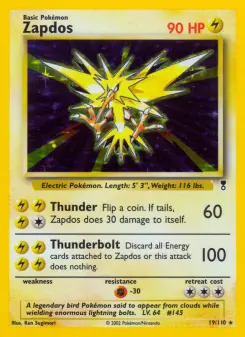
Legendary Collection – Pokémon Find Pokémon cards by name, set or number. Compare printings, see available Cardmarket EUR price guides and scan your cards. 110 Pokémon cards · Legendary Collection.
110 Pokémon cards
← Find Pokémon cards 4 / 4